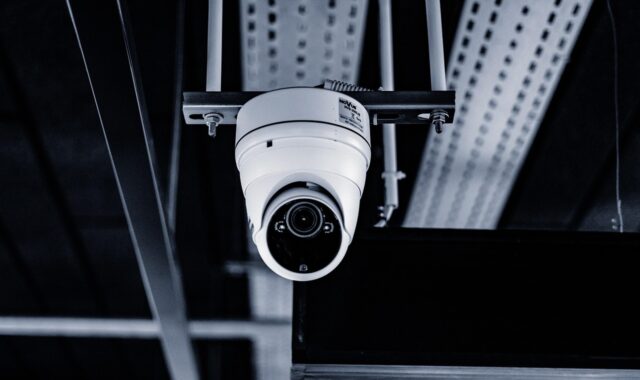
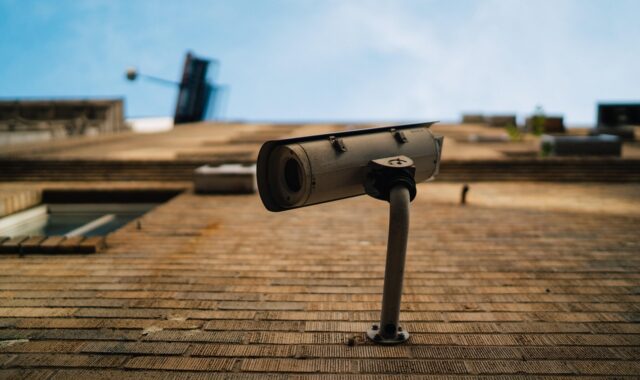
Amazon surveillance cameras and what to check before you buy

a[data-rs-seo-link]{text-decoration:underline!important;color:#1a56db!important;cursor:pointer!important;}a[data-rs-seo-link]{text-decoration:underline!important;color:#1a56db!important;cursor:pointer!important;}
Why Amazon surveillance cameras require more than a price comparison
Amazon surveillance cameras can be a practical starting point for a home, rental property, or small business. The best choice, however, is rarely just the lowest sale price or the listing with the highest rating. Amazon search results include Amazon-owned Ring devices, major-brand indoor and outdoor cameras, video doorbells, PoE camera kits, battery cameras, and third-party marketplace products with very different security practices.
A sound buying decision starts with the job the camera must do. From there, check update support, encryption, account controls, storage options, app transparency, and seller accountability. A surveillance camera is both a physical security device and an internet-connected computer that records sensitive video.

That distinction matters because a camera can reduce one risk while creating another. A poorly secured device may expose live video, stored clips, Wi-Fi credentials, location patterns, or employee and visitor activity. The Federal Trade Commission has repeatedly advised consumers to research camera security features before buying, keep camera software updated, use strong unique passwords, enable two-factor authentication where available, and secure the home network. Those checks belong in the buying process, not only after installation.
Match the camera type to the job before comparing listings
Search results for Amazon surveillance cameras often mix several product categories on the same page. Before comparing specifications, decide what the camera must see, how it will be powered, and who needs access to the video.
- Indoor plug-in cameras are simple to install and often inexpensive, but they carry the highest privacy sensitivity because they may record private living or working areas.
- Video doorbells are useful for front doors, deliveries, and visitor records. They usually depend on strong Wi-Fi near the entry and may require cloud storage for a complete event history.
- Outdoor Wi-Fi cameras can cover driveways, side yards, entrances, and parking spots. Check the weather rating, night vision distance, power type, and mounting angle.
- Floodlight cameras combine lighting and video, which can improve deterrence. They may require wired installation and careful aiming to avoid glare or unnecessary recording of neighboring property.
- Battery cameras reduce wiring work, but motion frequency, cold weather, and Wi-Fi signal quality can affect battery life and recording consistency.
- PoE cameras and NVR kits are better suited for larger homes, workshops, warehouses, and small businesses that need stable power, local recording, and multi-camera coverage.
- PTZ cameras can pan, tilt, and zoom, but they are not always better than fixed cameras. For evidence capture, a fixed field of view on a critical entrance may be more reliable than a movable camera pointed the wrong way.
Design the coverage first and buy devices second. Identify doors, gates, cash-handling areas, loading zones, or blind spots. Then choose the camera type that can cover those areas without relying on unrealistic Wi-Fi range, frequent battery charging, or a subscription plan you do not want.
Use a security-first checklist on marketplace listings
Amazon reviews and ratings can highlight setup problems, app issues, and durability complaints, but they are not a security audit. A camera listing should make it easy to identify the manufacturer, app developer, support period, update process, data handling model, and warranty path. If those details are missing, the low price may not be worth the exposure.
| Buying factor | What to check | Why it matters |
|---|---|---|
| Manufacturer identity | Look for a real brand site, support pages, firmware notes, and clear company contact details. | Anonymous or hard-to-trace brands may disappear, leaving cameras without updates or support. |
| Software updates | Check whether the listing or support page explains automatic updates, manual updates, and security update duration. | Cameras need patches for vulnerabilities discovered after purchase. |
| Account protection | Prefer products with two-factor authentication, login alerts, user roles, and clear password reset controls. | Many camera breaches begin with stolen or reused account credentials rather than the camera hardware itself. |
| Video protection | Look for encryption in transit and at rest, and check whether end-to-end encryption is available for the features you need. | Video should not be readable to outsiders during transmission or storage. |
| Storage model | Confirm whether event history requires a paid cloud plan, a microSD card, a base station, or an NVR. | The purchase price may be only part of the long-term cost. |
| Interoperability | For NVR systems, check ONVIF support, RTSP support, and whether the model is listed as conformant by the manufacturer. | Open standards can reduce vendor lock-in and help cameras work with professional video management systems. |
| Returns and warranty | Prefer clear warranty terms, seller history, and a return window long enough to test Wi-Fi, night vision, and app behavior. | Surveillance problems often appear only after the camera is mounted and used for several days. |
NIST’s consumer IoT baseline is a useful framework for this checklist. It emphasizes product identification, secure configuration, data protection, interface access control, software updates, cybersecurity state awareness, and the ability to make user data inaccessible when needed. For a camera buyer, the practical question is straightforward: can the product be secured, updated, monitored, and retired without losing control of your video?
Cloud, local, and hybrid storage change privacy, cost, and resilience
Storage is one of the biggest differences among cameras sold on Amazon. Two cameras with similar video quality may have very different ownership models once subscriptions, event retention, outage behavior, and export options are included.
| Storage approach | Strengths | Limitations |
|---|---|---|
| Cloud storage | Easy remote access, off-site backup, event notifications, and simple sharing with trusted users. | Usually depends on a subscription, an active account, internet access, and the provider’s privacy and security controls. |
| Local microSD storage | No mandatory cloud fee for basic recording and quick installation for a single camera. | The card can be stolen with the camera, may fail over time, and may offer limited retention. |
| NVR or base-station storage | Better for multi-camera systems, continuous recording, local retention, and more predictable evidence management. | Higher setup effort, wiring or network planning, and responsibility for securing the recorder. |
| Hybrid storage | Combines local continuity with cloud alerts or backup, depending on the brand. | Feature availability can vary by plan, camera model, and region. |
For most homes, cloud storage is convenient if the account is strongly protected. For small businesses, local recording often deserves more attention because cameras may need continuous coverage, longer retention, and access controls for managers or security staff. If you need evidence after a network outage, confirm whether the camera continues recording locally when the internet connection drops.
Privacy and accountability issues buyers should understand
Recent industry events show why buyers should look beyond star ratings. In 2023, the FTC charged Ring with privacy and security failures related to employee and contractor access to private videos and alleged account security weaknesses; in April 2024, the FTC announced refunds to affected Ring customers as part of the settlement process. Ring has also changed some law-enforcement sharing practices. In January 2024, the company said it would stop allowing police departments to request user footage through the Neighbors app tool that had drawn privacy criticism.
Those facts do not mean every Ring camera is unsafe, and they do not mean lesser-known brands are safer. They do show that brand reputation, cloud architecture, internal access controls, law-enforcement policies, and user settings all matter. A responsible buyer should review privacy settings, understand shared-user permissions, and avoid placing indoor cameras where they capture bedrooms, bathrooms, or other highly sensitive spaces.
Marketplace products deserve the same scrutiny. In February 2024, Consumer Reports reported vulnerabilities in some Eken-made video doorbells sold under multiple names on large online marketplaces, including Amazon and other retailers. The Associated Press reported that the findings included flaws that could allow bad actors to view footage or control devices. The practical lesson is not to reject every inexpensive camera, but to avoid assuming that a marketplace badge, discount label, or high review count proves cybersecurity quality.
Setup steps that matter after delivery
Even a well-chosen camera can become a weak point if it is installed with default settings. Use this setup sequence before relying on the camera for security decisions. See also: Access Control.
- Create a unique account password. Never reuse passwords from email, shopping, banking, or social media accounts.
- Turn on two-factor authentication. Use an authenticator app when available, or another supported second factor.
- Update firmware and the mobile app. Check this before mounting the camera permanently.
- Review encryption options. Some brands offer optional end-to-end encryption, but it may limit shared users, smart alerts, or integrations. Ring, for example, has offered video end-to-end encryption for eligible devices and announced TAKE, a newer encryption approach rolling out in phases beginning in September 2026.
- Limit shared access. Give each user a separate account when possible, and remove users when access is no longer needed.
- Set motion zones carefully. Exclude sidewalks, neighboring yards, and public areas where possible to reduce unnecessary recording.
- Use router security. Keep WPA2 or WPA3 enabled, update the router, and consider placing cameras on a separate guest or IoT network.
- Document the installation. Record model numbers, serial numbers, app names, firmware versions, and support contacts for future troubleshooting.
For commercial or rental settings, also consider signage, employee notice, audio recording laws, and local privacy expectations. Video surveillance rules can vary by location and use case, especially when audio is captured. When in doubt, disable audio recording unless there is a clear legal and operational reason to use it.
When a local surveillance system is the better route
Amazon is useful for comparing individual devices, but a camera-by-camera shopping process can produce fragmented coverage. If you need four or more cameras, continuous recording, multiple user roles, or a system that does not depend heavily on consumer cloud subscriptions, plan the network as a full surveillance system before ordering hardware.
ONVIF is especially relevant in this context. The organization has recommended more secure authentication methods such as TLS and HTTPS and has pointed users toward Profile T as a more current direction for IP video interoperability. For buyers, the main takeaway is simple: if you want cameras that work with an NVR or video management software, verify compatibility before buying, not after mounting.
For broader planning on camera placement, recording architecture, and system design, see Costcola’s Surveillance Systems section. A planned system may cost more upfront than a single Wi-Fi camera, but it can be easier to manage, scale, and secure over time.
Frequently asked questions
Are Amazon surveillance cameras safe to use?
Many can be safe when purchased from accountable manufacturers and configured correctly. The risk is that Amazon listings vary widely. Check the manufacturer, update policy, encryption options, app permissions, storage model, and account security features before buying.
Is Ring the same thing as Amazon surveillance cameras?
No. Ring is owned by Amazon and is one major camera brand sold through Amazon, but Amazon search results also include many independent brands, third-party sellers, NVR kits, video doorbells, and indoor or outdoor Wi-Fi cameras.
Should I choose cloud storage or local storage?
Choose cloud storage if you want simple remote access and off-site event history, and you are comfortable with the subscription and privacy model. Choose local or NVR storage if you need continuous recording, more control over retention, or less dependence on a cloud account.
What is the most important security setting to enable?
Two-factor authentication is one of the most important account protections, especially for cloud-connected cameras. It should be combined with a unique password, software updates, encryption settings, and careful shared-user permissions.
Do I need ONVIF support?
You may not need it for a single app-based home camera. ONVIF becomes more important when building a multi-camera system with an NVR or video management software, because it can improve interoperability and reduce dependence on one vendor’s app.