Suprema access control explained for secure, scalable door management
a[data-rs-seo-link]{text-decoration:underline!important;color:#1a56db!important;cursor:pointer!important;}a[data-rs-seo-link]{text-decoration:underline!important;color:#1a56db!important;cursor:pointer!important;}
What Suprema access control means in practice
Suprema access control is not just a door reader. In a real installation, it includes management software, controllers, biometric or RFID readers, mobile credentials, door hardware, event logs, and integration tools. For security managers, the key question is not only whether a reader can unlock a door. It is how identities are enrolled, where credential data is stored, how readers communicate with controllers, and how the system will scale across doors, sites, users, and compliance requirements.
For organizations comparing modern access control options, Suprema is most relevant where biometrics, mobile credentials, centralized administration, and open integration are part of the requirement. Its portfolio includes established BioStar 2 deployments, cloud-oriented BioStar Air use cases, and the newer BioStar X platform. These options are designed for different operating models, so the right choice depends on site size, network architecture, credential policy, privacy expectations, and the required level of integration.
The main building blocks in a Suprema system
A Suprema system usually has three layers: the platform layer, the control layer, and the credential layer. Separating these layers during planning helps avoid a common specification problem: selecting an attractive reader first, then finding that the software model, wiring design, or privacy requirements do not fit the building.
The platform layer
BioStar 2 is Suprema’s widely used web-based security platform for access control and time attendance. Suprema describes it as an open integrated security platform with multi-credential support, access control management, monitoring, reporting, alarm handling, and API integration. In practical terms, this is where administrators define users, credentials, schedules, access levels, doors, events, and system-wide rules.
BioStar Air serves a different use case. Suprema documentation describes it as a cloud-based mobile access control solution. As of Suprema’s September 14, 2026 documentation update, BioStar Air supports selected Suprema readers, CoreStation 20, Airfob patch devices, and related peripherals for cloud-managed access control. That makes it relevant for organizations that want mobile credentials and cloud administration, but device compatibility still needs to be confirmed before design approval.
BioStar X is Suprema’s next-generation platform. Suprema’s documentation describes BioStar X as a successor to BioStar 2 and as a platform that combines AI-based access control with intelligent video analytics. This does not mean every BioStar 2 site should migrate immediately. It does mean new projects should review the platform roadmap, licensing model, and integration architecture before committing to a long-term design.
Controllers and readers
The control layer determines where access decisions are processed and how doors behave if network connectivity changes. Suprema supports both reader-based and controller-based architectures. In a distributed model, intelligent network devices can act as both reader and controller, which may simplify installation. In a centralized model, controllers such as CoreStation or CoreStation 20 manage downstream readers and door I/O from a protected location.
CoreStation 20 is a useful example of Suprema’s newer controller direction. Suprema technical documentation identifies it as a two-door controller supporting up to 500,000 users and integrating with BioStar 2. It provides RS-485 OSDP, Wiegand, supervised inputs, auxiliary inputs, and model-dependent options such as PoE+ and a SAM slot. For RFID-centric environments that do not require biometric matching at every reader, this type of controller can simplify multi-door design while keeping control logic away from exposed door areas.
Credentials and identity methods
Suprema access control can support multiple credential types depending on the selected hardware and software. Common methods include RFID cards, PINs, mobile credentials, fingerprints, face authentication, QR or barcode credentials, and multi-factor combinations. This flexibility is useful, but it also requires clear policy decisions. A server room may require multi-factor authentication, while a lobby turnstile may need faster throughput. A visitor area may use temporary QR credentials, while an employee entrance may rely on mobile cards or biometrics.
BioStar 2, BioStar Air, and BioStar X are different decisions
The platform decision should come before the final device list. Although the names are similar, BioStar 2, BioStar Air, and BioStar X are not interchangeable labels for the same deployment model.
| Platform | Best-fit use case | Key planning point |
|---|---|---|
| BioStar 2 | Established on-premises or hybrid-style access control and time attendance deployments | Confirm version support, device compatibility, backup process, API needs, and long-term roadmap |
| BioStar Air | Cloud-based mobile access control with Suprema Pass credentials and supported devices | Check the supported device list and mobile credential behavior for iOS, Android, Bluetooth, NFC, and QR workflows |
| BioStar X | Newer projects needing a next-generation platform, licensing tiers, video integration, advanced monitoring, or future AI-enabled security workflows | Review licensing levels, optional features, migration implications, and whether video integration is required |
For a new specification, start by defining the operating model. If the site needs local control, mature BioStar 2 workflows, and compatibility with existing Suprema devices, BioStar 2 may remain the right fit. If the priority is mobile access with cloud administration, BioStar Air may better match the requirement. If the project is a forward-looking enterprise deployment with integrated monitoring, video linkage, and advanced access control options, BioStar X should be reviewed early.
Why biometrics and mobile credentials change the design
Suprema’s brand is closely associated with biometric access, but biometrics should be specified carefully. Fingerprint and face authentication can improve assurance by linking access to a person rather than only to a card. They also introduce privacy, consent, storage, enrollment, and fallback questions. The design should define what happens when biometric capture fails, when a user refuses enrollment, when a device is offline, or when privacy rules require special handling of personal data.
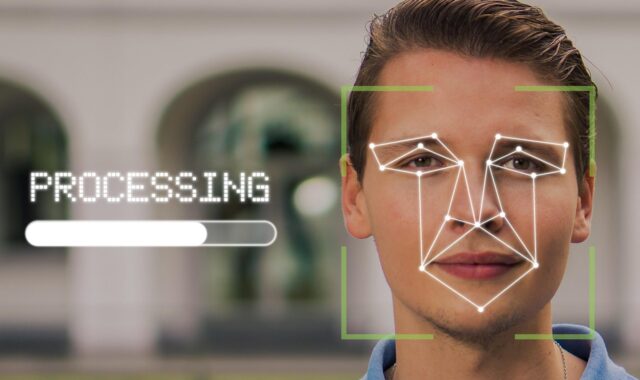
BioStation 3 shows the current direction of Suprema’s biometric devices. Suprema’s product information describes it as a facial authentication terminal with mobile credential support, RFID options, PIN support, VoIP intercom, RTSP-based video monitoring, live face detection, and OSDP V2 compliance on supported models. It also supports Template on Mobile, an approach in which the face template can be stored on the user’s phone rather than in a company database. This can be an important privacy-oriented design option, although the operational fit depends on user devices, policy, licensing, and administrator configuration.
BioEntry W3 extends the concept to display-free facial authentication. Suprema announced BioEntry W3 on September 30, 2024 as an AI-powered facial authentication device designed with privacy protection and durability in mind. Its display-free design and Template on Mobile concept are intended to reduce exposure of facial information in public or semi-public areas. For office entrances, healthcare corridors, logistics facilities, and shared buildings, this type of design may reduce user concerns compared with screen-based face terminals.
Mobile access is another major design shift. Suprema Pass and BioStar Air documentation describe mobile credentials using Bluetooth, NFC, touch-and-hold behavior, and QR options depending on configuration and device compatibility. Mobile credentials can reduce plastic card issuance, simplify remote onboarding, and support temporary access workflows. The tradeoff is that phones bring battery, operating system, Bluetooth sensitivity, app adoption, and user support considerations. A pilot at representative doors is often more useful than a paper comparison.
Security and integration points to check before specifying
The strongest access control design depends on details that are easy to overlook. Reader appearance matters, but communication security, credential security, update practice, and integration boundaries usually matter more. See also: Alarm and Detection.
First, verify reader-to-controller communication. The Security Industry Association describes Open Supervised Device Protocol, or OSDP, as an access control communications standard intended to improve interoperability, cybersecurity, and device management compared with legacy Wiegand interfaces. SIA also emphasizes OSDP Secure Channel for encrypted communication. Suprema documentation states that official firmware for BioStar 2 devices uses OSDP for RS-485 by default, but project teams should still verify whether Secure Channel is configured, tested, and documented for the specific installation.
Second, check credential policy. A site using only card numbers may have a very different risk profile from one using secure smart cards, mobile credentials, or multi-factor authentication. If high-security zones are involved, avoid treating all doors the same. Executive areas, labs, pharmacies, data rooms, cash offices, and security control rooms may need stricter authentication than general office doors.
Third, confirm data protection features. Suprema’s official materials reference measures such as ISO 27001 and ISO 27701 certifications for BioStar 2, TLS-protected communication in relevant environments, Secure Element, Secure Boot, and data encryption. These are useful indicators, but they do not replace local configuration. Administrators still need strong passwords, role-based permissions, update management, audit logs, backup procedures, and a fast process for removing former users.
Fourth, review integration needs early. Suprema platforms can integrate through APIs and can support workflows involving directory services, video systems, mobile access, attendance, visitor management, and third-party systems depending on platform and licensing. Integration requirements should be written into the scope before hardware is purchased. Otherwise, a project may meet basic door-opening needs but fail on reporting, HR synchronization, alarm response, or compliance documentation.
A practical planning checklist
Before selecting final devices, security teams and integrators should work through a structured checklist. This does not replace a site survey, but it helps reduce the risk of mismatched hardware and software decisions.
- Define the door types. Separate main entrances, internal office doors, high-security rooms, visitor doors, elevators, gates, and emergency egress points.
- Choose the identity model. Decide where cards, mobile credentials, fingerprints, face templates, PINs, and temporary visitor credentials will be used.
- Select the platform model. Compare BioStar 2, BioStar Air, and BioStar X against deployment, licensing, administration, and roadmap requirements.
- Confirm compatibility. Match readers, controllers, peripherals, firmware, software versions, and mobile credential support before procurement.
- Specify secure communication. Prefer OSDP with Secure Channel where operationally feasible, and document any legacy Wiegand exceptions.
- Plan privacy controls. Define consent, biometric storage, Template on Mobile use, retention policies, administrator permissions, and user offboarding.
- Test real user flow. Pilot mobile credentials, biometric enrollment, visitor access, intercom behavior, and fallback methods at representative doors.
- Document operations. Include backups, firmware updates, incident response, administrator roles, reporting, and maintenance responsibilities.
Where Suprema access control fits well and where caution is needed
Suprema is a strong candidate when a project needs biometric identity, mobile credentials, scalable door management, and a product ecosystem that includes readers, controllers, software, and integration paths. It is especially relevant for offices, education, healthcare, logistics, technology facilities, multi-site businesses, and buildings where the security team needs more than a basic card reader system.
Caution is needed when the organization has strict privacy constraints, legacy wiring, mixed third-party panels, or an unclear platform roadmap. Biometric access can be powerful, but it should not be added simply because the hardware supports it. Mobile access can improve convenience, but it requires user support and a device policy. Cloud management can reduce local infrastructure, but it requires cybersecurity and availability review. The best specification is the one that matches risk, user experience, compliance, and maintenance capacity.
In short, Suprema access control should be evaluated as a design system. The best outcome comes from aligning the platform, controller architecture, credentials, communication security, privacy controls, and long-term operations before a reader is installed on the wall.
Frequently asked questions
Is Suprema access control only for biometric doors?
No. Suprema is known for biometrics, but its systems can also support RFID cards, PINs, mobile credentials, QR workflows, controllers, and peripheral devices depending on the selected platform and hardware. Many projects use a mix of credential types rather than one method everywhere.
What is the difference between BioStar 2 and BioStar Air?
BioStar 2 is a web-based platform commonly used for access control and time attendance management. BioStar Air is positioned as a cloud-based mobile access control solution. The best choice depends on whether the site prioritizes established local administration, cloud management, mobile credentials, supported devices, or integration requirements.
Does Suprema support OSDP?
Yes, many Suprema devices and controllers support OSDP, and Suprema documentation refers to OSDP use over RS-485. However, security teams should confirm the exact device model, firmware, wiring, and whether OSDP Secure Channel is enabled and tested.
Is mobile access safer than plastic cards?
Mobile access can reduce lost-card risk and simplify credential distribution, but it is not automatically safer in every configuration. Security depends on phone security, app behavior, credential issuance rules, administrator controls, and whether multi-factor requirements are used for sensitive doors.
Should an existing BioStar 2 site move to BioStar X?
Not automatically. BioStar X is described by Suprema as the next-generation successor to BioStar 2, but migration should be based on device compatibility, licensing, required features, video integration needs, support planning, and operational risk. Existing BioStar 2 sites should assess benefits and constraints before changing platforms.