How to plan home security systems for real risks, privacy, and reliability
a[data-rs-seo-link]{text-decoration:underline!important;color:#1a56db!important;cursor:pointer!important;}a[data-rs-seo-link]{text-decoration:underline!important;color:#1a56db!important;cursor:pointer!important;}
Home security systems are most useful when they are planned as layers of risk control, not assembled from a random mix of cameras, sensors, and apps. The practical goals are straightforward: reduce easy opportunities, detect trouble early, alert the right people, document what happened, and keep life-safety devices working when power, internet service, or attention fails. Recent U.S. crime data does not justify panic buying, but it also does not support ignoring household risk. The Bureau of Justice Statistics reported 13.1 million property victimizations in 2024 in its National Crime Victimization Survey, while a separate March 16, 2026 BJS report based on FBI NIBRS estimates found that property offense rates decreased from 2023 to 2024. For homeowners, the point is to plan proportionally, check local conditions, and build a system that is reliable, private, and maintainable.
For broader planning context, see our Site Security Planning section.
What a home security system is supposed to do
A modern residential security system is more than a burglar alarm. It can include door and window contacts, motion sensors, glass-break sensors, cameras, video doorbells, smart locks, garage sensors, water-leak sensors, smoke alarms, carbon monoxide alarms, a siren, a keypad, a mobile app, and either self-monitoring or professional monitoring. The better designs separate these components by function.
Effective systems usually support five security jobs:
- Deter: Make the home look occupied, observed, and harder to enter than nearby alternatives.
- Delay: Strengthen doors, windows, gates, and garage access so entry takes more effort and creates more noise.
- Detect: Use sensors and cameras to identify opening, motion, smoke, water, or other abnormal conditions quickly.
- Notify: Send the alert to someone who can act, whether that is the resident, a trusted contact, a monitoring center, or emergency services.
- Document: Preserve useful video, event logs, timestamps, and sensor history without collecting more private data than needed.
This distinction matters because cameras alone rarely make a complete home security plan. They can document a package theft or show who approached a door, but they do not reinforce a weak strike plate, prevent false alarms, replace a smoke alarm, or keep the system online during an internet outage.
Start with a risk map before choosing devices
The first step is to map likely entry points, daily routines, and consequences. A small apartment, a suburban single-family home, a rural property, and a short-term rental do not need the same layout. Bureau of Justice Statistics and FBI data can provide national context, but neighborhood patterns, police response policies, weather exposure, household schedules, and building layout should drive the final design.
| Area to review | Planning question | Useful controls | Common mistake |
|---|---|---|---|
| Front and side doors | Can the door resist forced entry long enough to create delay? | Deadbolt, reinforced strike plate, contact sensor, doorbell camera, exterior lighting | Buying cameras while leaving weak hardware unchanged |
| Ground-floor windows | Which windows are hidden from street view or easy to reach? | Window locks, contact sensors, glass-break sensor, trimmed landscaping | Placing sensors only on obvious front-facing windows |
| Garage and interior door | Can the garage become a quiet entry route? | Garage tilt sensor, smart opener alerts, contact sensor on interior door | Treating the garage as storage instead of an access point |
| Driveway and porch | Do you need awareness, evidence, or active deterrence? | Motion lighting, camera with privacy zones, package delivery instructions | Pointing cameras too broadly and creating privacy issues |
| Bedrooms and sleeping areas | Will occupants hear emergency warnings at night? | Interconnected smoke alarms, carbon monoxide alarms where appropriate, audible siren | Thinking of life-safety alarms as separate from security planning |
| Home network | Could connected cameras or hubs become the weak point? | Strong router password, firmware updates, multifactor authentication, separate guest network | Keeping default settings after installation |
A risk map also helps prevent overbuying. A home with poor door hardware may benefit more from physical reinforcement and contact sensors than from additional indoor cameras. A frequent traveler may place more value on cellular backup, battery backup, water-leak detection, and monitored alerts than a resident who works from home and can respond quickly.
Choose components by role, not by gadget category
Control hub and keypad
The hub coordinates sensors, sirens, app alerts, and monitoring. Reliability matters more than novelty. Look for battery backup, clear arming modes, user codes that can be changed, event history, and a practical fallback if Wi-Fi drops. If the household includes children, guests, cleaners, or caregivers, separate user codes help identify who disarmed the system without sharing one permanent code.
Entry and motion sensors
Door and window contacts are often the foundation because they detect opening before someone moves through the house. Motion sensors add interior coverage, but placement should account for pets, HVAC movement, sunlight, and normal nighttime paths. Glass-break sensors can help in rooms with several windows, but they should not replace window locks or contact sensors where forced opening is more likely.
Cameras and video doorbells
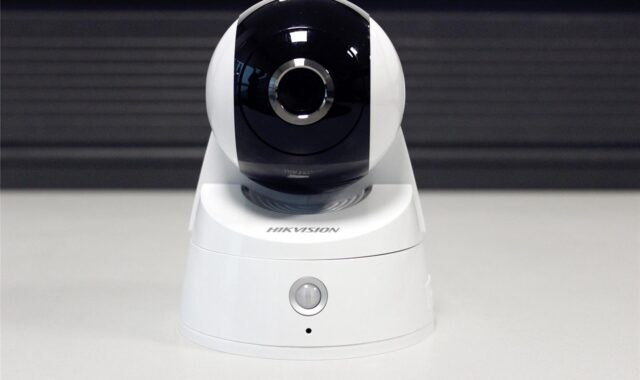
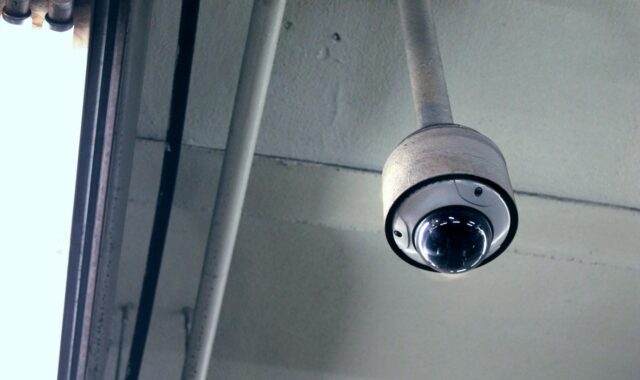
Cameras should answer specific questions: Who came to the door? Was a vehicle in the driveway? Which gate opened? Did an alarm event have a visible cause? Exterior cameras should avoid unnecessary views into neighbors’ windows, private yards, or indoor areas. Interior cameras need stricter limits. The Federal Trade Commission has warned consumers to consider privacy carefully before enabling remote viewing, especially where a camera could show a bedroom or another private space.
Useful camera features include encryption, multifactor authentication for cloud accounts, activity zones, permission controls for shared users, and a practical storage plan. A camera that captures high-resolution footage but loses clips during an outage, or allows broad account sharing, can create as many problems as it solves.
Life-safety and environmental sensors
Security planning should include hazards that are more common than break-ins and can cause severe loss. The U.S. Fire Administration advises putting smoke alarms inside and outside sleeping areas and on every level of the home, and it recommends interconnected alarms so that when one sounds, all sound. USFA guidance also says to test smoke alarms monthly and replace many smoke alarms every 10 years, with backup batteries in hardwired alarms replaced at least once a year.
Water-leak sensors near water heaters, washing machines, sinks, and basement mechanical areas can reduce damage by turning a hidden problem into an early alert. These devices are not a substitute for maintenance, but they add a useful detection layer for risks that may occur while the home is occupied or empty.
Decide how alerts will be handled
The most overlooked design question is who responds. A self-monitored system sends alerts to the homeowner or approved contacts. It may have lower monthly costs and give residents more control, but it depends on someone seeing the alert, understanding it, and taking action. A professionally monitored system can route certain alarms to a monitoring center, but it may require monthly fees, permits, accurate contact information, and procedures to reduce false dispatches.
False alarms are not just an inconvenience. Depending on the jurisdiction, they can lead to local fees, delayed response, or verified-response requirements. The Security Industry Alarm Coalition model ordinance treats three or more false alarms within a permit year as excessive and includes example penalties and possible verified-response limits. That document is a model, not a universal law, so homeowners should check city or county requirements before assuming how police dispatch will work.
Good alert planning includes:
- At least two household contacts who know how to verify an alarm.
- Updated emergency contact details with any monitoring provider.
- A written plan for pets, guests, contractors, and temporary codes.
- Clear camera views for verifying exterior activity without over-collecting private footage.
- Routine testing after installation, router changes, battery replacement, or app updates.
If a system cannot distinguish a real event from user error, pets, open windows, or weak batteries, residents will gradually stop trusting it. A modest system that people use consistently is usually more protective than a feature-rich system they ignore. See also: Access Control.
Plan cybersecurity and privacy as part of physical security
Connected home security systems depend on accounts, apps, routers, cloud storage, and device firmware. That means a physical security plan now has a cybersecurity layer. The FTC recommends strong passwords, two-factor authentication where available, firmware updates, encryption, and careful permission settings for internet-connected cameras and devices. These measures should be treated as routine maintenance, not advanced technical extras.
At minimum, change default passwords, use unique passwords for the security account and router, enable multifactor authentication, keep the router and devices updated, and remove access for former residents, contractors, guests, or shared users who no longer need it. If the router supports it, a guest or separate network for smart-home devices can reduce exposure if one device is compromised.
Interoperability is improving, but it does not remove the need for security checks. The Connectivity Standards Alliance announced Matter 1.5 on November 20, 2025, adding support for cameras and improved closure categories such as gates and garage doors. Matter can make supported devices easier to coordinate across platforms, but Matter-only remote control still depends on an internet-connected controller in the home. In practical terms, compatibility is helpful; it is not the same as a complete security policy.
Budget for ownership, not just installation
The right budget is not simply the lowest equipment price or the largest package. Home security systems have ongoing costs and maintenance obligations that should be listed before purchase. These can include professional installation, monitoring, cloud video storage, cellular backup, replacement batteries, alarm permits, false-alarm fees, smoke alarm replacement, upgraded locks, outdoor lighting, and stronger Wi-Fi equipment.
A balanced budget usually follows this order:
- Fix basic physical weaknesses: Doors, locks, strike plates, window locks, lighting, and garage habits.
- Cover primary openings: Use contact sensors on the doors and windows that matter most.
- Add response capability: Decide between self-monitoring, professional monitoring, or a hybrid approach.
- Add cameras selectively: Cover entrances, driveway activity, and package areas before adding interior cameras.
- Protect continuity: Add battery backup, cellular backup, spare batteries, and documented maintenance intervals.
- Review privacy and account access: Limit who can view footage, change settings, or create new users.
This order keeps the plan grounded. It also helps renters and homeowners make different choices. Renters may need non-destructive sensors and portable cameras, while homeowners can usually invest more in doors, lighting, wiring, and interconnected alarms. In either case, the system should match the actual property rather than a one-size-fits-all package.
Maintenance checklist for a reliable system
A home security system becomes less reliable when nobody maintains it. Batteries weaken, Wi-Fi settings change, mobile numbers become outdated, former users keep access, and cameras drift out of alignment. A simple maintenance schedule can prevent many failures.
- Monthly: Test smoke alarms, review unresolved alerts, confirm cameras have the expected field of view, and check that important devices are online.
- Quarterly: Review user codes, app permissions, emergency contacts, and monitoring instructions.
- Twice a year: Replace batteries where recommended, test backup communication, clean camera lenses, and confirm outdoor lighting still covers intended areas.
- Annually: Review local alarm permit requirements, update the household response plan, and evaluate whether new routines have changed risk.
- At move-in or move-out: Reset smart-home devices, remove former users, change passwords, and verify who owns each device account.
The strongest plan is the one residents will actually use. If arming takes too long, alerts are confusing, or the system creates privacy tension inside the household, it will be bypassed. Good planning makes everyday use simple while keeping the important protections in place.
Frequently asked questions
Are professionally monitored home security systems always better?
Not always. Professional monitoring can improve response when nobody is available to check alerts, but it may add monthly costs, permit obligations, and false-alarm procedures. Self-monitoring can work well for residents who can respond quickly and have trusted backup contacts. The better choice depends on response needs, local rules, travel habits, and tolerance for ongoing fees.
How many cameras does a home need?
Most homes should start with the main approach points: front door, driveway or parking area, side gate, and other commonly used entrances. More cameras are not automatically better. Each camera adds cost, data, maintenance, and privacy considerations. Coverage should answer specific security questions rather than record every possible space.
Should smart locks replace traditional locks?
Smart locks can improve convenience by allowing temporary codes, activity logs, and remote locking, but they should not be viewed as a substitute for strong door hardware. The lock, strike plate, door frame, and installation quality all matter. If remote features are enabled, the account should use a strong unique password and multifactor authentication where available.
What is the most common planning mistake?
The common mistake is buying visible technology before defining the response plan. A camera, siren, or app alert is only useful if it leads to a clear action. Start by identifying likely risks, improving physical barriers, choosing detection points, deciding who responds, and then adding cameras and smart features where they support that plan.
How often should a home security plan be reviewed?
Review the plan at least once a year and after major changes such as moving, remodeling, adding a pet, changing internet equipment, hiring recurring service providers, or shifting work and travel schedules. Security planning is not a one-time purchase; it is a maintenance habit.