Top home security systems for different homes and security risks

a[data-rs-seo-link]{text-decoration:underline!important;color:#1a56db!important;cursor:pointer!important;}a[data-rs-seo-link]{text-decoration:underline!important;color:#1a56db!important;cursor:pointer!important;}
The short answer for homeowners comparing security systems
There is no single best home security system for every property. A good system fits the home’s entry points, local alarm-response rules, privacy expectations, and the resident’s ability to act on alerts. For most households, the shortlist falls into three broad options: a professionally monitored alarm system for escalation and life-safety coverage, a DIY monitored system with easier setup, or a self-monitored smart system for renters and camera-focused users who can respond quickly.
The buying decision should not be based on device count alone. A stronger plan covers doors, windows, interior movement, video verification, smoke and carbon monoxide alerts, power outages, and account security. This guide compares the main system types, explains which features matter most, and outlines the trade-offs to review before purchasing. You can also explore more in Site Security Planning.
What makes a home security system worth shortlisting
A home security system needs to do four things well: detect likely intrusion points, alert the right people, reduce false alarms, and protect sensitive footage and account access. A system can look impressive on a product page and still underperform if it leaves a side door unprotected, depends entirely on home Wi-Fi, or sends critical alerts only to residents who may be working, traveling, or asleep.
Public safety data is useful, but it has limits. The FBI’s Crime Data Explorer treats burglary as a property crime category, yet national crime summaries cannot define the exact risk for one household. A detached home with a rear alley, a short-term rental, an apartment with a controlled-access lobby, and a rural property with slow emergency response all require different planning. Local police dashboards, nearby incident patterns, lighting, landscaping, and household routines often matter more than national averages.
For readers building a broader property protection plan, Costcola’s site security planning section is the most relevant internal resource to pair with this checklist.
Compare the main types of home security systems
| System type | Best fit | Main strengths | Key limits |
|---|---|---|---|
| Professionally monitored alarm system | Homeowners who want a monitoring center to review alarms and escalate emergencies | Can support intrusion, fire, carbon monoxide, panic, and water alerts; often includes cellular backup options | Monthly cost, contracts in some cases, permit requirements, and no guaranteed police response |
| DIY system with optional monitoring | Renters, new homeowners, and people who want flexibility | Fast installation, portable equipment, app control, and easier expansion | Quality depends on placement, batteries, Wi-Fi strength, and user follow-through |
| Self-monitored smart system | Users who reliably check phone alerts and live near the property | Lower ongoing cost and strong control over notifications | If the user misses an alert, escalation may not happen quickly |
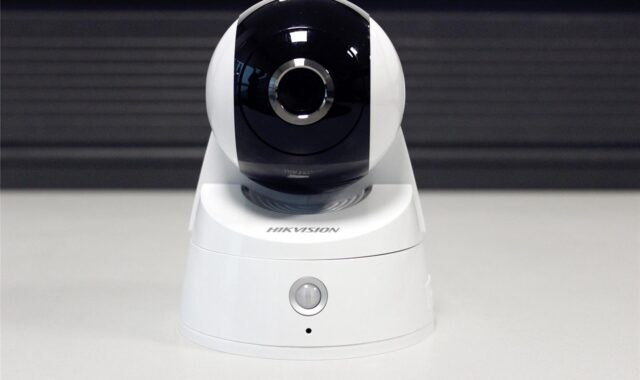
| Camera-first system | Homes needing visual awareness at entries, driveways, garages, or delivery areas | Video can help verify activity and reduce uncertainty | Cameras are not a substitute for door and window sensors, and privacy controls are essential |
| Hybrid life-safety system | Families wanting intrusion plus fire, carbon monoxide, flood, and medical alert coverage | Broadest household risk coverage | Requires careful device testing, maintenance, and monitoring-plan review |
The practical takeaway is straightforward: intrusion detection alone is not a complete safety plan. A camera can show what happened, but a contact sensor can trigger earlier. A siren can deter or alert occupants, but monitoring can escalate when no one is home. A smart lock can improve access control, but it should not be treated as the only security layer.
Core features that matter more than brand names
Perimeter sensors should come first
Door and window sensors are the foundation of most residential alarm designs because they detect activity at the perimeter before someone moves deeper inside. Front doors, rear doors, garage entry doors, basement entries, and accessible first-floor windows usually deserve priority. Sliding doors may need both a contact sensor and a physical reinforcement plan, such as a security bar or upgraded lock.
Interior motion sensors are useful, but they should come after perimeter coverage is mapped. Pet movement, heat sources, curtains, and direct sunlight can create avoidable nuisance alerts when sensors are poorly placed. A top system is not the one with the highest device count; it is the one with devices positioned where they produce reliable signals.
Video should support verification, not replace detection
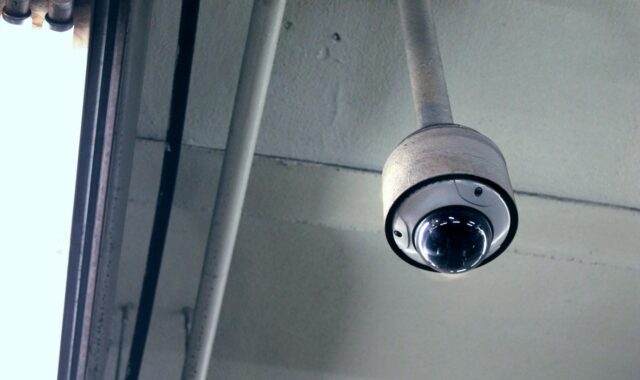
Cameras are valuable when they help confirm whether an alert involves a person, vehicle, animal, delivery, or weather movement. Doorbell cameras cover visitors and packages, exterior cameras cover approach paths, and indoor cameras may help confirm intrusion after an alarm. Indoor camera placement, however, deserves restraint. The Federal Trade Commission has warned consumers to consider privacy before placing cameras in sensitive spaces and to secure remote viewing features.
Useful camera features include adjustable motion zones, low-light performance, local or encrypted storage options, account activity logs, two-factor authentication, and clear controls for shared users. Avoid systems that make it difficult to delete footage, manage permissions, or understand when recordings are stored in the cloud.
Backup power and backup communication are not optional details
Many home security failures are routine rather than dramatic. Batteries die, routers lose power, phones are set to silent, or a storm interrupts broadband. For monitored systems, cellular backup can keep alarm signaling active when the internet is down. Battery backup for hubs, sirens, locks, and cameras should be reviewed before purchase, not after the first outage.
If a system depends heavily on Wi-Fi, check the distance between devices and the router, the quality of mesh coverage, and whether exterior cameras can stay connected during bad weather. A reliable system should also provide low-battery alerts that are easy to understand and hard to ignore.
Life-safety devices can deliver the biggest risk reduction
Security planning should include fire and environmental risks, not only break-ins. The National Fire Protection Association reports that working smoke alarms reduce the risk of dying in a home fire by about 60 percent. That statistic is a clear reminder that a household system should include smoke alarms, carbon monoxide detection where appropriate, and a maintenance schedule for testing and replacement.
Water-leak sensors, temperature sensors, and monitored smoke or carbon monoxide devices may not be the first features people associate with home security. In practice, they can help limit damage or accelerate emergency response. For many households, these devices create more everyday value than adding a third or fourth indoor camera.
Privacy and cybersecurity now belong in the buying checklist
Modern home security systems are connected devices. The buying decision should therefore include cybersecurity and data handling, not just siren volume and camera resolution. The FTC’s consumer guidance for internet-connected devices emphasizes practical steps such as changing default settings, using strong passwords, enabling added account protections where available, updating software, and reviewing access logs for cameras.
The FCC adopted rules in March 2024 for a voluntary U.S. Cyber Trust Mark program for wireless consumer Internet of Things products. The program is intended to help consumers identify connected products that meet baseline cybersecurity criteria, using a label and QR-code registry concept. For home security buyers, the important point is not to treat a label as a magic shield. A labeled device still needs secure account settings, updates, careful sharing permissions, and replacement when support ends. See also: Access Control.
Before choosing any connected system, ask five questions. Does the company clearly explain update support? Can every user have a separate account? Is two-factor authentication available? Can cameras be disabled or scheduled when needed? Is stored video encrypted and easy to delete? If the answers are unclear, the system may create privacy risk while trying to reduce physical risk.
Monitoring, permits, and emergency response can change the value of a system
Professional monitoring is often misunderstood. It does not mean police, fire, or medical responders will automatically arrive for every alert. Monitoring centers follow procedures, attempt verification, contact responsible parties, and request dispatch when conditions meet the plan and local rules. Some cities require alarm permits. Some impose false-alarm fines. Some require verified response for certain burglar alarms before police are dispatched.
This matters because false alarms consume public resources and can weaken response priority. Municipal programs vary widely, but the pattern is common enough that buyers should check local requirements before signing a monitoring agreement. Oklahoma City, for example, has publicly described a large annual volume of alarm calls and an extremely high false-alarm rate in its permit communications. Other cities publish their own permit, fine, and verification policies.
When comparing systems, ask whether video verification, audio verification, enhanced call verification, or multi-sensor confirmation is available. A sequence such as rear-door contact, glass-break detection, and camera confirmation can provide a clearer signal than a single unexplained motion alert. Better verification can reduce nuisance dispatches and make alerts more actionable.
How to choose the right system for your property
Start with a simple risk map. Walk the property during the day and again at night. Mark all practical entry points, hidden approaches, poorly lit areas, detached garages, gates, basement windows, and delivery areas. Then match devices to risks rather than buying a bundle just because it is discounted.
- For apartments: prioritize the main entry door, balcony access if reachable, a renter-friendly camera or doorbell solution where allowed, and strong account security.
- For single-family homes: cover perimeter doors, first-floor windows, garage access, exterior approach paths, smoke and carbon monoxide alarms, and backup communication.
- For frequent travelers: consider professional monitoring, water-leak detection, smart lighting schedules, cellular backup, and trusted emergency contacts.
- For rural homes: evaluate siren audibility, camera storage, driveway detection, cellular coverage, and realistic emergency response times.
- For households with children, guests, or caregivers: choose systems with separate user codes, temporary access, clear notifications, and simple arming routines.
Compare total cost as well as equipment price. Discounts can hide higher monthly fees, cloud-storage charges, installation costs, cancellation terms, or add-on monitoring fees for fire and carbon monoxide devices. A transparent system should make it easy to understand what happens if you move, cancel monitoring, change internet providers, or replace devices.
Frequently asked questions
Are professionally monitored systems always better than self-monitored systems?
No. Professional monitoring is valuable when residents may miss alerts or want escalation for intrusion and life-safety events. Self-monitoring can work for users who reliably respond, live close by, and accept responsibility for deciding when to call for help. The better option depends on response expectations, budget, and local alarm rules.
Do cameras prevent burglaries?
Cameras can deter some activity and help verify events, but they should not be the only layer. A stronger setup combines lighting, locks, door and window sensors, cameras, sirens, and a clear response plan. Cameras are most useful when they produce actionable alerts rather than constant motion noise.
Should renters install a home security system?
Yes, if the system is lease-friendly and does not damage the property. Renters should focus on removable sensors, entry alerts, indoor or door-facing cameras where allowed, and account security. They should also confirm building rules before installing doorbell cameras or exterior devices.
How many devices does a typical home need?
There is no universal number. A small apartment may need only a few sensors, while a detached home may require multiple door contacts, window sensors, cameras, smoke alarms, and environmental sensors. Start with the risk map, then add devices where they close a real gap.
What is the most overlooked buying question?
The most overlooked question is what happens after an alert. Buyers often compare cameras and apps but forget to ask who receives the alert, how it is verified, whether a permit is required, what the monitoring center does, and how local responders treat unverified alarms.
Bottom line
The top home security systems are the ones that fit the home, the residents, and the local response environment. Look beyond device bundles and compare perimeter coverage, monitoring options, verification, backup power, cybersecurity, privacy controls, and life-safety integration. A practical, layered system will usually outperform a larger but poorly planned setup.