How to choose home security systems that fit real household risks
a[data-rs-seo-link]{text-decoration:underline!important;color:#1a56db!important;cursor:pointer!important;}a[data-rs-seo-link]{text-decoration:underline!important;color:#1a56db!important;cursor:pointer!important;}
Start with risks, not gadgets
A good home security system is more than a camera at the front door. It is a layered plan that detects problems early, sends alerts reliably and helps the right person respond. The latest FBI annual crime release available at publication time, Reported Crimes in the Nation, 2025, was released on August 14, 2026. It reported that property crime declined an estimated 12.4% from 2024 to 2025, while burglary decreased 15.8%. That national trend is positive, but it does not remove household-level risk. Crime still varies by street, building type, access point and daily routine.
Homeowners and renters also need to account for fire and carbon monoxide risks, not only intrusion. The NFPA’s June 2024 smoke alarm research found that the death rate per 1,000 reported home structure fires was about 60% lower when working smoke alarms were present. You can also explore more in Surveillance Systems.

The practical conclusion is straightforward: choose home security systems by matching devices to likely events. A townhouse near shared alleys may need door contacts, lighting and rear-entry coverage. A detached house with a garage may need overhead door monitoring and driveway coverage. An apartment may need renter-friendly entry sensors and privacy-conscious indoor placement. A household with children, older adults, pets or frequent travel may need stronger alerting and a clearer response plan.
Before comparing brands or monthly plans, write down five facts about the home:
- Which doors, windows, garage areas and ground-level entries are easiest to reach?
- Who must receive alerts, and how quickly can that person respond?
- Does the home have reliable Wi-Fi, cellular coverage and backup power?
- Are there local alarm permit, registration or false-alarm rules?
- Which private spaces should never be recorded or livestreamed?
The core layers of a complete home security system
Most effective systems combine several layers. Each layer handles a different task, so adding more of one device rarely fixes a missing layer elsewhere.
Entry and motion detection
Door and window contacts provide the basic intrusion signal. They are often more direct than cameras because they report that an entry point has opened. Motion sensors add interior coverage, especially for large rooms, hallways and areas between entrances and bedrooms. Pet-friendly settings can reduce nuisance alerts, but they should be tested in the actual home. Pets, curtains, HVAC airflow and sunlight can all affect performance.
Video verification and surveillance
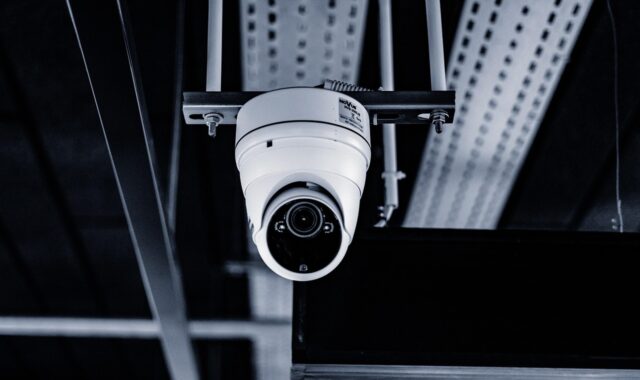
Cameras help verify what happened, record useful context and let residents check conditions remotely. Outdoor cameras are usually most valuable at approaches to the home, such as front doors, driveways, side gates, rear patios and garage areas. Indoor cameras should be used sparingly and placed with privacy in mind. For more coverage ideas around camera placement and system design, see Costcola’s surveillance systems section.
Life-safety alarms
Intrusion is only one part of household safety. Smoke alarms, carbon monoxide alarms, water-leak sensors and temperature alerts can matter just as much, especially when no one is home. The CPSC recommends smoke alarms on every level, outside sleeping areas and inside each bedroom. It also recommends CO alarms on every level and outside sleeping areas, along with monthly testing and annual battery replacement. Local codes and manufacturer instructions should always be checked because requirements can vary.
Alerting and response
An alert is useful only if it reaches someone who can act on it. Self-monitoring sends notifications to a phone or app. Professional monitoring sends alarm signals to a monitoring center, which may contact the user and then emergency services according to the plan and local procedures. A strong system should define who receives which alerts, what counts as urgent and what to do if the primary contact is unreachable.
DIY, professional monitoring or a hybrid approach
The right monitoring model depends on the household’s schedule, tolerance for false alerts and need for emergency dispatch support. There is no single choice that fits every home.
| Approach | Best fit | Strengths | Limitations to check |
|---|---|---|---|
| DIY self-monitoring | Renters, smaller homes and people who can respond quickly | Lower recurring cost, flexible installation, easy relocation | Alerts may be missed during sleep, travel, meetings or poor phone coverage |
| Professional monitoring | Larger homes, frequent travelers and households wanting dispatch support | Continuous monitoring and a more formal response process | Monthly fees, contract terms, permit rules and false-alarm policies |
| Hybrid system | Homes that want daily self-control plus backup coverage | Can combine app control, cameras and selected monitored alarms | Feature availability differs by provider and equipment ecosystem |
When evaluating monitored home security systems, ask whether the monitoring station is certified and how alarm signals are handled. UL Solutions describes central stations as facilities that monitor security, fire, managed video and residential alarm signals. UL central station certification involves evaluation against UL 827 and related requirements, with ongoing audit activity. Certification does not make every alarm correct, but it is a meaningful indicator that monitoring operations follow recognized procedures.
Also review the cancellation policy, equipment ownership, contract length, cellular backup, camera storage terms and what happens when the internet is down. If emergency dispatch is part of the plan, verify whether your city or county requires alarm registration or enhanced verification before police response.
Wired, wireless and power resilience
Wired systems are often valued for reliability, especially in new construction or major remodels where cables can be routed cleanly. They may be less dependent on battery changes and wireless signal quality. The tradeoff is installation effort, cost and reduced flexibility when rooms change.
Wireless systems are easier to install and relocate, which makes them practical for renters, finished homes and phased upgrades. The tradeoff is maintenance. Batteries must be replaced, sensors must stay within signal range and the home network must be protected. A wireless system should be tested after installation and whenever furniture, routers or major appliances move.
Power and communication backup deserve special attention. A system that depends only on household Wi-Fi and wall power can become less useful during outages. Look for battery backup for the control hub, clear low-battery warnings and, where appropriate, cellular backup for alarm communication. The FCC has noted that jamming devices can interfere with emergency calls, public safety communications and wireless security equipment, and such devices are unlawful in the United States. The practical defense is not to rely on one signal path. Use physical locks, lighting, entry sensors, local sirens, backup power and clear response procedures together.
Cameras need privacy and cybersecurity controls
Connected cameras are useful, but they also introduce privacy and account-security risks. The FTC’s consumer guidance for home security cameras emphasizes software updates, strong unique passwords, two-factor authentication, encryption, firewall settings and careful remote viewing. Those controls are especially important when cameras are installed indoors. A camera pointed at a private room or a child’s play area requires stricter controls than a camera watching a driveway. See also: Access Control.
Use this camera security checklist before relying on video:
- Change default usernames, passwords and network names during setup.
- Use a unique password that is not reused from email, shopping or streaming accounts.
- Turn on two-factor authentication for the camera account when available.
- Enable automatic firmware and app updates where the product supports them.
- Review account sharing so guests, contractors or former household members do not retain access.
- Use privacy zones or physical shutters for areas that should not be recorded.
- Check access logs if the camera or app provides them.
- Disable remote access features that are not needed.
Interoperability is improving across smart home devices. The Connectivity Standards Alliance released Matter 1.5 in 2025 with support for cameras and closures, and Matter 1.6 in 2026 added more tools for smart home experiences, including security sensor event history. That matters for long-term planning because homeowners increasingly want locks, sensors, cameras and hubs to work across ecosystems. Still, compatibility should not be confused with complete security. A compatible camera still needs updates, account protection, privacy controls and a clear retention policy for recordings.
A practical buying checklist
Use the following checklist to avoid overbuying devices while missing essentials.
| Need | Devices or features to consider | Questions to ask |
|---|---|---|
| Front entry protection | Door contact, video doorbell, smart lock, porch lighting | Can the resident verify visitors without exposing private areas? |
| Rear and side access | Door contacts, outdoor camera, motion lighting, gate sensor | Are blind spots covered at night as well as during the day? |
| Garage security | Garage tilt sensor, entry contact, camera, interior motion sensor | Does the system report when the overhead door is left open? |
| Interior confirmation | Motion sensors, glass-break sensors, indoor camera only where appropriate | Can the system distinguish normal activity from a true alert? |
| Fire and CO safety | Smoke alarms, CO alarms, monitored life-safety sensors where appropriate | Are alarms placed according to manufacturer instructions and local code? |
| Remote response | Mobile alerts, shared users, professional monitoring, cellular backup | Who acts if the main user misses the alert? |
| Privacy and security | Two-factor authentication, encrypted video, privacy zones, access logs | Who can see live video and stored clips? |
After narrowing the list, compare total cost of ownership rather than equipment price alone. Include installation, sensors, batteries, cloud storage, video history, monitoring, permit fees, cancellation terms and replacement costs. A lower upfront price may be less attractive if essential features require recurring add-ons.
Common mistakes to avoid
The most common planning mistake is treating cameras as the whole system. Cameras record and verify, but door contacts, motion sensors and alarms usually detect an event faster. Another mistake is ignoring life-safety devices because they seem less urgent than video. NFPA data shows why working smoke alarms deserve priority in any home safety plan.
False alarms are another issue. Poor sensor placement, loose door contacts, pets, low batteries and unclear user training can all create nuisance alerts. Too many false alarms may lead residents to ignore notifications, and some municipalities impose penalties or require verification. Test each device after installation, label zones clearly and make sure every authorized user knows how to arm, disarm and cancel an accidental alarm.
Finally, do not leave the system unchanged for years. Household routines change. Children grow, roommates move, routers are replaced, passwords age, trees block camera views and batteries weaken. Review the system every six months and after any renovation, move, network change or security incident.
Frequently asked questions
Are home security systems still useful if burglary is declining?
Yes. National FBI data shows burglary declined in 2025, but national averages do not predict risk at a specific property. A system can also address fire, carbon monoxide, water leaks, open garages, package areas and remote check-ins. The goal is not fear; it is earlier detection and a better response.
Is self-monitoring enough for most homes?
Self-monitoring can be enough when residents are reachable, alerts are reliable and someone can respond quickly. Professional monitoring may be more appropriate for frequent travelers, larger homes, households with vulnerable occupants or situations where emergency dispatch support is a priority.
How many cameras does a home need?
There is no universal number. Start with the front entry, driveway or garage, rear entry and any side approach that is difficult to see. Add cameras only where they solve a real visibility problem. Avoid placing cameras in bedrooms, bathrooms or other private spaces.
Do renters need a different type of system?
Renters usually benefit from wireless, removable devices such as entry sensors, plug-in hubs and freestanding cameras. They should check lease terms before installing doorbells, exterior cameras, wired equipment or smart locks that alter the property.
How often should a system be maintained?
Test alarms and alerts monthly where practical, replace batteries according to manufacturer guidance and review camera views at least twice a year. Also update passwords, confirm shared users and check whether firmware and mobile apps are current.