Door access control systems guide for safer building entry
a[data-rs-seo-link]{text-decoration:underline!important;color:#1a56db!important;cursor:pointer!important;}a[data-rs-seo-link]{text-decoration:underline!important;color:#1a56db!important;cursor:pointer!important;}
What door access control systems do
Door access control systems manage who can enter a secured area, when access is allowed and how each event is recorded. A well-planned system does more than replace a metal key. It links doors, credentials, locking hardware, software rules, event logs and operating procedures so a facility can reduce unauthorized entry while still supporting safe movement and emergency egress.
For offices, schools, warehouses, multifamily buildings and critical rooms, the first question is not simply whether to install a card reader. The better question is which doors truly need electronic control, which users need specific permissions and how the system will remain safe, auditable and maintainable over time.

This guide explains the core parts of an access control system, the standards and safety issues that should shape design decisions, and current buying considerations around cloud management, mobile credentials, OSDP reader communication and cybersecurity. It is intended for facility managers, security teams and business owners comparing options before speaking with a qualified installer, code consultant or authority having jurisdiction.
Core components of a door access control system
Most door access control systems combine several hardware and software layers. The architecture varies by building size and risk level, but the operating logic is consistent: identify a user, check that user against an authorization rule, release or keep locked the door hardware, and record the event.
Readers and credentials
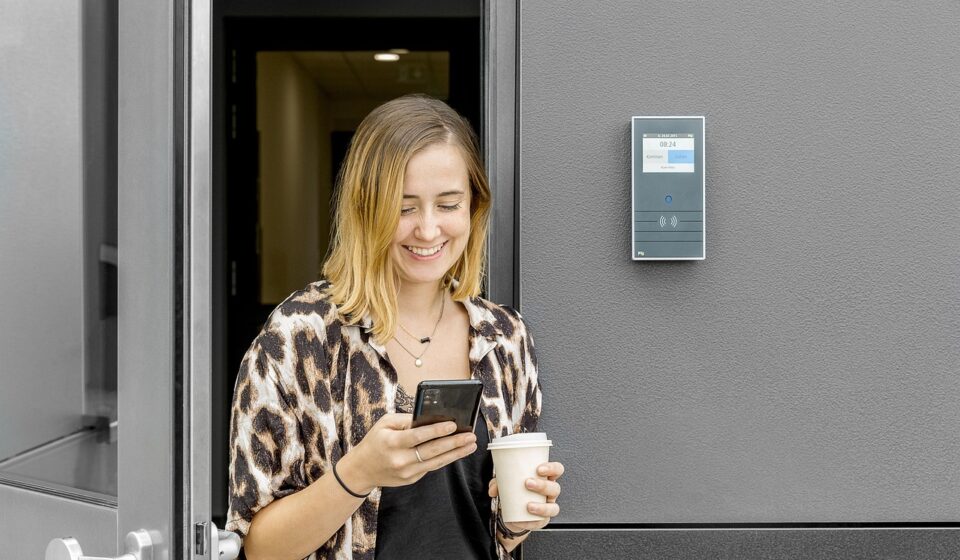
The reader is the visible device beside the door. It may accept a proximity card, smart card, PIN, mobile credential, biometric factor or a combination of factors. Traditional proximity cards remain common because they are inexpensive and familiar. Many organizations now evaluate smart cards or mobile credentials when they want stronger authentication, easier credential changes and less dependence on physical badge inventory.
Credential choice should match the risk of the opening. A general office entrance may only need a card or mobile credential. A server room, pharmacy storage room, records room or laboratory may justify multi-factor access, a tighter schedule, video verification or a second approval process. Biometrics can improve assurance in some environments, but they also introduce privacy, retention and consent issues that must be handled carefully.
Controllers, panels and management software
The controller or access panel is the decision-making hardware that receives credential data from the reader and applies the access rule. In smaller systems, a controller may serve one or two doors. In larger buildings, panels are commonly installed in secure closets and connected to multiple readers, locks, request-to-exit devices and door position switches.
Management software is where administrators add users, assign schedules, revoke credentials and review logs. Some systems run on local servers, while others use cloud-hosted or hybrid management. Cloud options can simplify remote administration and reduce on-site server maintenance, but they still require disciplined identity management, strong administrator authentication and clear vendor support procedures.
Locks, sensors and exit devices
The lock side of the system may include an electric strike, electrified lockset, electromagnetic lock or electrified panic hardware. The correct choice depends on the door, frame, fire rating, life-safety requirements, traffic pattern and required fail-safe or fail-secure behavior during a power loss. Door position switches show whether a door is open or closed. Request-to-exit devices help the system distinguish normal exiting from forced-door events.
These details are not minor accessories. A poor hardware choice can create nuisance alarms, unsafe exiting, inspection problems or expensive rework. Before selecting equipment, teams should document the door type, swing direction, fire label, expected traffic, accessibility needs and whether the door is part of a required means of egress.
Safety and code considerations come before features
Access control is installed to restrict entry, but doors in the path of egress must still allow occupants to leave safely. NFPA Life Safety Code concepts and International Building Code provisions focus on keeping the means of egress usable, especially during fire, emergency and power-loss conditions. Requirements vary by occupancy, door type, adopted code edition and local amendments, so final interpretation belongs to the local authority having jurisdiction.
In practice, security teams should not treat a controlled door as only an IT device. It is also part of the building life-safety environment. A card reader may control entry from the outside, but the egress side often must allow immediate, obvious and code-compliant exit. Special locking arrangements, delayed egress, sensor release, controlled egress and electrified panic hardware each have specific limitations and inspection expectations.
UL 294 is a key standard often referenced for access control system units. UL Solutions describes it as a framework for testing and certifying access control devices for reliability and function, including security-related safety and performance. A listed component does not make every door design automatically code-compliant. It means listed equipment should be selected as part of a larger design that also accounts for door hardware, egress, fire alarm interface, power supply, wiring and installation practice.
- Confirm whether the door is part of a required exit path.
- Check whether existing door hardware is fire-rated, panic-rated or otherwise restricted.
- Review fail-safe and fail-secure behavior during power loss.
- Coordinate with fire alarm, sprinkler, elevator and emergency procedures where required.
- Document approvals, inspections and system changes for future audits.
Current buying issues for cloud, mobile and OSDP
Industry reporting in 2026 from security publications, manufacturers and professional associations points to three recurring themes in access control: cloud administration, mobile credentials and tighter cybersecurity governance. These trends should be evaluated carefully rather than adopted by default. The right system depends on building risk, user volume, network maturity and the organization’s ability to manage identities over time.
Cloud access control is a management decision, not just a hosting choice
Cloud-managed systems can make it easier to add users, revoke credentials, monitor multiple sites and support hybrid workplaces. They may also reduce the burden of maintaining local servers. However, cloud does not remove operational responsibility. Administrators still need role-based permissions, multi-factor authentication, user offboarding procedures, vendor access controls and a recovery plan if internet service is interrupted.
For a single small office, cloud access control may be attractive because it keeps administration simple. For a campus, healthcare facility, distribution center or regulated environment, a hybrid approach may be preferred if local door operation must continue when remote services are unavailable. Buyers should ask how access decisions are cached locally, how logs synchronize after an outage and how long the system can operate on backup power.
Mobile credentials add convenience but do not eliminate all card needs
Mobile credentials are gaining attention because phones can support stronger authentication, remote provisioning and easier revocation than many legacy cards. HID’s 2026 State of Security and Identity reporting highlighted identity convergence and user choice as major issues for security teams, while other industry reports note that adoption pace varies by sector and user group.
That variation matters. Not every visitor, contractor, shift worker or tenant will want to use a personal phone for building access. Some environments still need physical badges for visual identification, temporary access, offline continuity or union and privacy expectations. A practical deployment often supports both mobile credentials and cards during a transition period. See also: Access Control.
OSDP should be part of reader communication discussions
The Security Industry Association describes the Open Supervised Device Protocol, or OSDP, as an open communications standard used between access control panels and peripheral devices such as readers. Compared with legacy one-way reader communication, OSDP can support bidirectional communication, device supervision and Secure Channel encryption when properly configured.
For new installations and major upgrades, OSDP support is worth discussing with the integrator. It can improve monitoring of reader status and reduce exposure associated with older reader wiring approaches. The important detail is configuration. Installing OSDP-capable equipment is not the same as confirming encrypted Secure Channel operation, key management and compatibility across readers, panels and software.
Cybersecurity checklist for connected access systems
Modern access control systems increasingly resemble connected enterprise platforms. They may include IP controllers, cloud dashboards, mobile credential services, APIs, video integrations and remote support connections. That creates operational value, but it also means the system should be governed like other security-sensitive technology.
CISA and NIST guidance for connected systems consistently emphasizes basic practices such as changing default passwords, managing assets, limiting remote access, applying patches, using least privilege and segmenting networks. These practices apply directly to access control environments because an exposed controller, weak administrator account or unsupported server can undermine the physical security the system is supposed to provide.
- Inventory every connected device. Track controllers, servers, workstations, readers with network functions, mobile credential services and integrations.
- Remove default credentials. Default or shared administrator passwords should be changed before production use.
- Use role-based administration. A receptionist, facility manager, IT administrator and security director should not automatically share the same permissions.
- Enable multi-factor authentication for administrators. This is especially important for cloud dashboards and remote support portals.
- Segment the system network. Controllers and management servers should not sit unprotected on the same network used for general guest or office traffic.
- Plan firmware and software updates. Define who approves updates, when they occur and how rollback or emergency service will be handled.
- Review logs and alerts. Forced-door events, repeated denied access, offline readers and unusual administrator changes should be reviewed rather than stored and ignored.
How to plan access control by door type
A good access control plan starts with doors, not products. Walk the facility and classify openings by risk, user type and operational purpose. Then decide which openings require electronic control, which only need mechanical key control and which may need video, intercom or visitor management support. Related coverage in the Surveillance Systems section can help teams think about how access events and camera views work together in a layered security program.
| Door or area | Common access goal | Planning considerations |
|---|---|---|
| Main employee entrance | Limit entry to authorized staff and approved schedules | Credential convenience, visitor flow, after-hours rules, door position monitoring and weather exposure |
| Server or network room | Restrict access to a small approved group | Multi-factor access, detailed audit logs, camera coverage, anti-tailgating procedures and tighter administrator review |
| Warehouse or delivery door | Control vendor, driver and staff entry | High traffic, rugged hardware, roll-up or pedestrian-door coordination, intercom needs and forced-door alarms |
| Tenant or multifamily entrance | Manage residents, guests and contractors | Mobile and card options, visitor access, privacy rules, turnover workflow and support for lost devices |
| Emergency exit | Maintain safe egress while discouraging misuse | Code review, alarmed exit hardware, signage, fire alarm interface and inspection requirements |
After classifying doors, define user groups. Employees, managers, cleaners, vendors, temporary workers and visitors should not be placed into one broad access category. Schedules should reflect real operating hours, including holidays and emergency exceptions. Offboarding is just as important as onboarding; a credential that is never removed can become a long-term vulnerability.
Finally, test the system under realistic conditions. Confirm that authorized users can enter, unauthorized users are denied, door-held-open alerts work, reports are readable and emergency egress remains clear. Test power-loss behavior, backup battery runtime and communication outages before the system is considered complete.
Frequently asked questions
What is the difference between access control and a smart lock?
A smart lock usually secures one opening and is often managed through a simple app. A door access control system is designed for broader administration, multiple users, schedules, audit trails and integration with other security systems. Some small facilities may start with smart locks, but larger or higher-risk environments usually need more centralized access control.
Are door access control systems safe during a fire?
They can be safe when designed, installed and inspected correctly. The critical point is that access control must not block required egress. Door hardware, fire alarm interfaces, power behavior and local code requirements need to be reviewed before installation.
Should a business choose cards or mobile credentials?
Many organizations use both. Cards are familiar and work well for visitors, contractors and users without compatible phones. Mobile credentials can simplify remote issuing and revocation, but they require policy decisions about user privacy, device loss, battery issues and support expectations.
Is cloud access control more secure than on-premises access control?
Neither model is automatically more secure. Cloud systems may offer strong centralized updates and remote management, while on-premises systems can provide more local control. Security depends on architecture, administrator practices, authentication, patching, network segmentation and vendor support.
How often should access permissions be reviewed?
Access permissions should be reviewed whenever employees change roles, contractors finish work or tenants move out. For ongoing governance, many organizations perform scheduled reviews at least quarterly for sensitive areas and at least annually for general access groups.
Key takeaways
Door access control systems are most effective when they are planned as a security, safety and operations program rather than a collection of readers and locks. Strong projects begin with a door survey, code review and user policy before equipment is selected. They also account for current realities: mobile credentials are useful but not universal, cloud management can simplify administration but still needs governance, and reader communication should be evaluated for supervision and encryption.
For any facility, the goal is the same: let the right people in, keep unauthorized people out, preserve safe egress and maintain a trustworthy record of activity. When those outcomes guide the design, access control becomes a durable part of the building’s security posture rather than a one-time hardware purchase.